Sideview 2.1: split view, and a Compare that starts clean
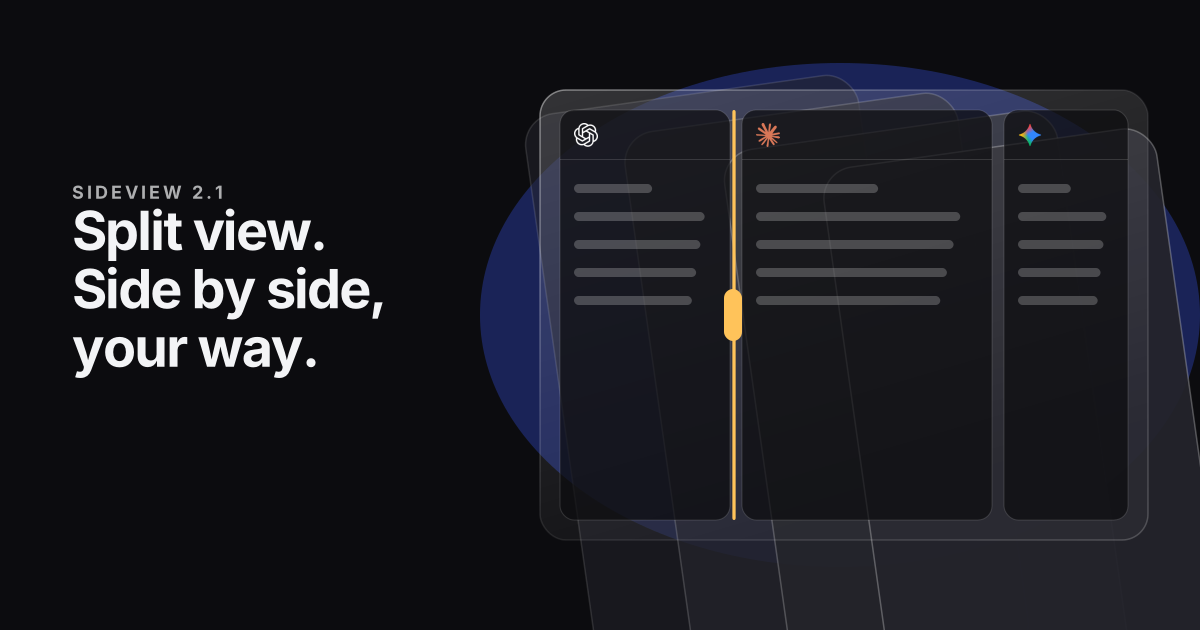
Keep up to four chats beside each other in the panel, size each one by dragging, and compare AIs without touching the chats you already have open.
By Sideview · October 30, 2026 · Version 2.1.0
Tabs are good for keeping chats apart, but not for reading two at once. You end up switching back and forth, trying to remember what the last one said. Version 2.1 fixes that with split view, and rebuilds Compare on top of it.
Split view
Split view is new in Pro. It keeps up to four chats open beside each other in the panel. They can be different AIs or two chats with the same one. Click the split button beside +, or right-click a tab and choose Open beside this chat.
- Size each chat. Drag the line between two chats, and only those two change. Double-click the line to even them out, or focus it and use the arrow keys.
- Nothing overlaps. Every chat gets its own space. When the panel is too narrow for a row, the chats stack instead. Drag the panel wider and they go back side by side.
- It works the way tabs do. Click inside a chat to select it, and tools such as Add this page go to that one. Click a tab that isn't showing and it takes the selected chat's place.
- Nothing gets lost. The × on a chat only takes it out of view, and it stays in your tabs. Close the panel and your layout is there when you come back.
Need more room for three or four? Drag the panel wider, or open Sideview in its own window from the ⋯ menu. How split view works.
Compare, rebuilt
Compare used to drop you straight into two AIs with a large bar along the bottom. It also sent your question to whichever chat that AI already had open, so a question about Lisbon could land in the middle of your work on a spreadsheet. Now it works like this:
- Choose first. ⋯ > Compare AIs asks which two to four AIs you want, with your saved sets one click away. You can type your first question there too.
- New chats. Each AI opens in a new chat, so your other conversations stay as they were.
- A smaller box. The box that asks them all is a single line that grows as you type, and each chat's name sits on its own pane.
- It stays out of the way. Clicking another tab no longer ends the comparison, and hiding the box keeps the chats side by side.
Already have chats side by side? Choose Ask all chats on screen from the ⋯ menu to send them all one question, even two chats with the same AI. More about Compare.
Smaller fixes
- Menus no longer scroll sideways in Chrome and Firefox.
- Primary buttons in settings keep their colour on hover.
Updating to 2.1
Sideview updates itself, and 2.1 asks for no new permissions, so there's nothing to approve. Split view is part of Sideview Pro, and your plan and settings carry over as they are.
Every change is in the release notes. Tell us what works and what doesn't from Settings > About > Report a problem.