Hide Firefox’s sidebar header.
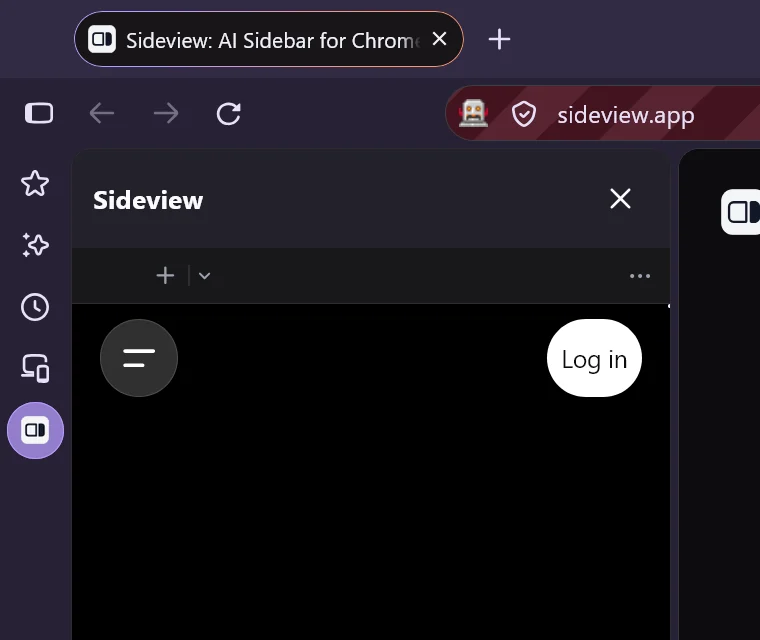
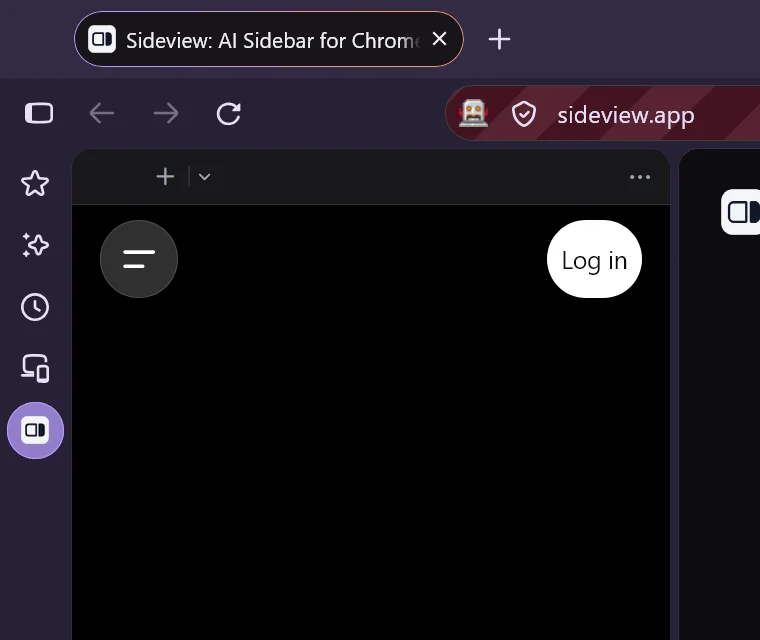
Firefox puts its own title bar above every sidebar. A short stylesheet hides it, for Sideview only or for every sidebar, and gives your chats that space back.
By Sideview · Updated October 25, 2026 · Firefox 158
Firefox shows its own header, the extension’s name and an × button, above every sidebar. Extensions can’t remove it, but you can hide it yourself with a small CSS file. It takes about five minutes, and you can still open and close Sideview from its toolbar or sidebar icon.
1. Allow custom stylesheets
- Type
about:configin the address bar and press Enter. - Click Accept the Risk and Continue.
- Search for
toolkit.legacyUserProfileCustomizations.stylesheets. - Double-click it so it shows true.

2. Open your profile folder
- Type
about:supportin the address bar and press Enter. - Find Profile Folder and click Open Folder (Show in Finder on macOS, Open Directory on Linux).

3. Create the stylesheet
- In your profile folder, create a folder named
chrome(all lowercase) if there isn’t one. - Inside
chrome, create a plain text file nameduserChrome.css. - Paste in one of the snippets below and save the file.
Every sidebar. Hides the header for Sideview, bookmarks, history and any other sidebar:
/* Hide Firefox's sidebar header (title and close button) */
#sidebar-panel-header {
  display: none !important;
}
Only Sideview. Firefox’s other sidebars keep their header. Firefox draws the header inside the sidebar, where a stylesheet can’t tell which add-on it belongs to, so this version tucks Sideview’s sidebar up under the header’s 56 pixels instead:
/* Hide Firefox's sidebar header for Sideview only */
#sidebar-box[sidebarcommand="sideview_sideview_app-sidebar-action"],
#sidebar-box[sidebarcommand="sideview_sideview_app-sidebar-action"] > stack {
  overflow: clip !important;
}
#sidebar-box[sidebarcommand="sideview_sideview_app-sidebar-action"] #sidebar {
  margin-top: -56px !important;
}
Windows: Notepad may save the file as userChrome.css.txt and hide the .txt. In File Explorer, turn on View › Show › File name extensions and check that the name ends in .css.
4. Restart Firefox
Fully quit Firefox (menu › Exit, or Quit on macOS) and open it again. Open Sideview and the header is gone.
Undo it
Delete the snippet from userChrome.css, or delete the file, and restart Firefox.
If it doesn’t work
- Nothing changed: check that the setting in step 1 is true, that the file is in the profile folder shown in
about:support, and that its path ends inchrome/userChrome.css. Then fully restart Firefox. - Only Sideview, and a strip is left or the top of the chat is cut off: the header is a different height on your setup. Change
56pxup or down a few pixels. - It stopped working after a Firefox update: Mozilla sometimes renames sidebar parts. Check this page for an updated snippet.
More Firefox setup help is in the support guide.